What Proxmox is, briefly
Proxmox VE is a type-1 hypervisor: it runs directly on the hardware (not inside another operating system) and manages both full virtual machines (KVM) and lightweight containers (LXC). A single web interface to create them, move them, snapshot them and back them up. Open source, with no mandatory licences.
How I organised the machines
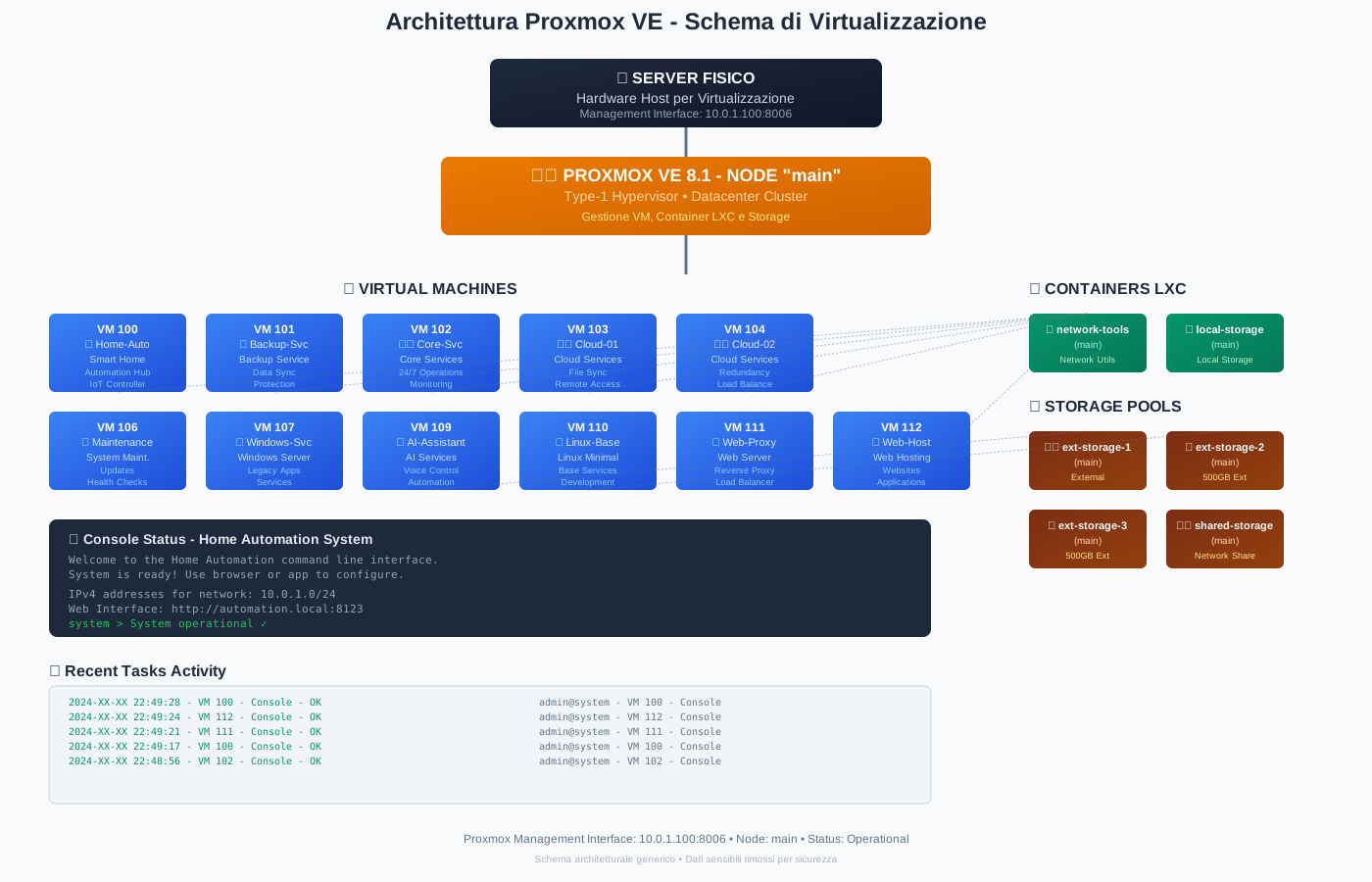
The architecture is hierarchical: hardware at the bottom, Proxmox in the middle, and the services above it, split by function.
- Home automation — the Home Assistant VM and the services around it.
- Private cloud — files and data sync with redundancy, at my place.
- Automated backup — scheduled copies of data and configurations.
- Web hosting & reverse proxy — the Nginx front end acting as doorkeeper and the sites behind it,
enricoder.comincluded. - AI assistant — a dedicated environment for the local models.
- Linux development — a sandbox where I can try things and break them without fear.
The architecture diagram
A map of the environment: physical server, hypervisor, VMs and containers organised by function. Click to enlarge.